
Lumen T2 Label Printer
A quick start guide on A5 paper: contents, checklist, warnings, steps, a figure and specification tables.
Download the source, unzip it and drop the folder onto the converter — then change the text to make it yours.
Open the converter---
title: Lumen T2 Label Printer
subtitle: Quick Start Guide
page-size: A5
---
[TOC]
# What's in the box
- [x] Lumen T2 printer
- [x] USB-C cable (1 m)
- [x] Power adapter, 24 V
- [x] One roll of 50 × 30 mm labels
> [!WARNING]
> Use only the power adapter supplied with the printer. Other adapters can damage the print head.
# Setting up
1. Open the top cover by pressing the release button on the right side.
2. Load the label roll with the labels facing up, and pull about 5 cm through the slot.
3. Close the cover until it clicks. The printer feeds one label to find the gap.
4. Connect the power adapter and press the power button for two seconds.
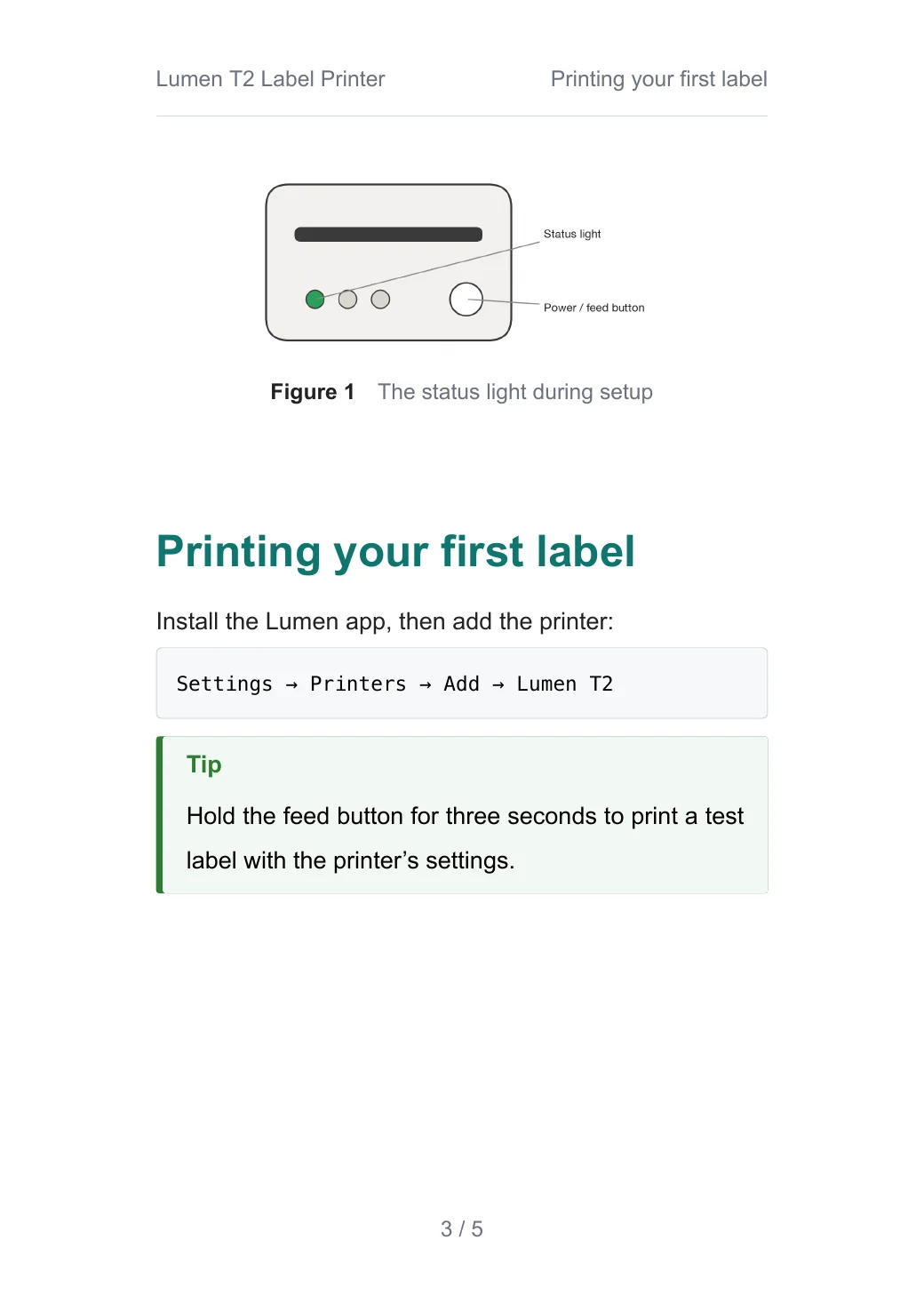
{width=80%}
# Printing your first label
Install the Lumen app, then add the printer:
```text
Settings → Printers → Add → Lumen T2
```
> [!TIP]
> Hold the feed button for three seconds to print a test label with the printer's settings.
# Specifications
| Item | Value |
|-------------------|---------------------------|
| Print method | Direct thermal |
| Resolution | 300 dpi |
| Print speed | up to 150 mm/s |
| Label width | 20–60 mm |
| Connection | USB-C, Wi-Fi 2.4 GHz |
| Size | 118 × 96 × 82 mm |
: Lumen T2 specifications
# Status light
| Light | Meaning | What to do |
|----------------|--------------------------------|--------------------------------|
| Green | Ready | — |
| Blinking green | Printing | Wait |
| Orange | Out of labels or cover open | Load labels, close the cover |
| Red | Print head too hot | Pause for five minutes |← All examples · All names, companies and figures in these examples are made up.